
jc-builds/Z-Image-Turbo-iOS
Z-Image-Turbo — iOS bundle
<p align="center"> <a href="https://github.com/haplollc/Mirage"> <img alt="Mirage" src="https://img.shields.io/badge/Runs%20on-Mirage-orange" /> </a> <a href="https://huggingface.co/Tongyi-MAI/Z-Image-Turbo"> <img alt="Upstream" src="https://img.shields.io/badge/Upstream-Tongyi--MAI%2FZ--Image--Turbo-blue" /> </a> <img alt="License" src="https://img.shields.io/badge/license-Apache--2.0-lightgrey" /> <img alt="Params" src="https://img.shields.io/badge/params-6B-purple" /> <img alt="Steps" src="https://img.shields.io/badge/steps-9-green" /> </p>
A pre-flighted bundle of Z-Image-Turbo + Qwen3-4B-Instruct (text encoder) + FLUX VAE, sized and quantized to fit on iPhone 16 Pro / 17 Pro and run via **Mirage** — the on-device diffusion engine for iOS / macOS / visionOS.
Z-Image-Turbo is a 6B-parameter **S3-DiT** (Scalable Single-Stream Diffusion Transformer), distilled to 8-9 sampling steps via Decoupled-DMD + DMDR. It produces photorealistic images at 1024×1024 with bilingual (English + Chinese) prompt understanding.
What's inside
Total bundle size: ~6.5 GB. Total GPU residency at generation time: ~7-8 GB (weights + activations + KV cache).
Safety / SFW-by-default
This bundle is intended for shipping in consumer apps and ships with a recommended default negative prompt at `safety_negative_prompt.txt`. Consumers building on top of this bundle SHOULD load the file and prepend its contents to any user-supplied negative prompt by default, with an explicit user-facing opt-out for adult/artistic contexts.
The blocklist covers:
- Child safety — explicit terms blocking sexualised content involving minors or apparent minors (loaded first / highest weight in SD-style negative prompts)
- Adult / explicit —
nsfw,nude,explicit,sexual, anatomical detail - Gore + graphic violence —
gore,blood,mutilation, etc. - Hate symbols —
swastika,nazi,extremist
Diffusion models steer away from negative-prompt concepts; they don't binary-reject them. A sufficiently determined prompt can still produce undesirable output, so apps shipping this bundle to general audiences should pair the negative-prompt filter with output-side classification (e.g. a CSAM/NSFW classifier on the generated CGImage) before display.
Quick start (Mirage)
import Mirage

let docs = FileManager.default.urls(for: .documentDirectory, in: .userDomainMask)[0]

let engine = try Engine(models: ModelFiles(
    diffusionModel: docs.appendingPathComponent("z-image-turbo-Q3_K_M.gguf"),
    vae:            docs.appendingPathComponent("ae.safetensors"),
    textEncoder:    docs.appendingPathComponent("Qwen3-4B-Instruct-2507-Q4_K_M.gguf")
))

let image = try await engine.generate(.init(
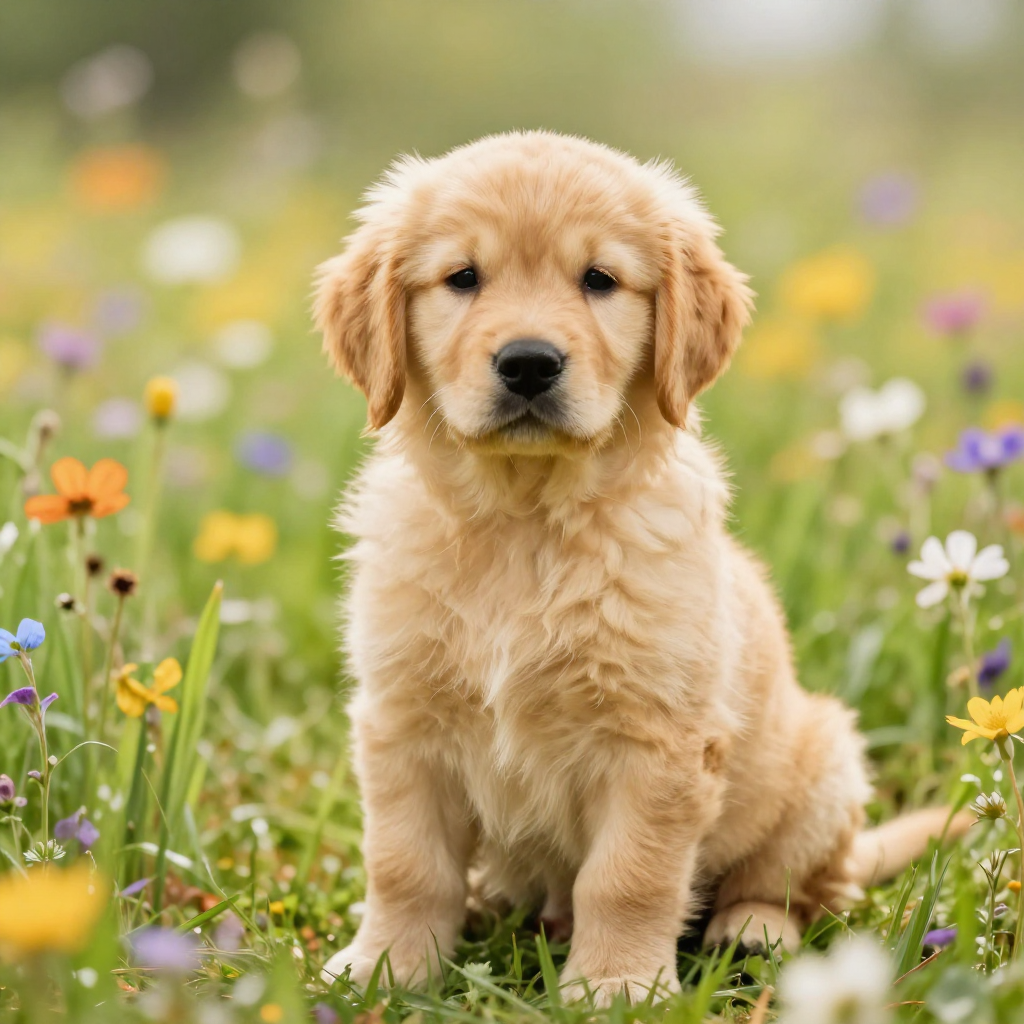
    prompt: "a photorealistic golden retriever puppy in a sunlit field of wildflowers",
    width: 1024, height: 1024,
    steps: 9,         // Turbo distillation — don't go higher
    cfgScale: 1.0     // CFG is baked in
))
That's the whole pipeline. See the Mirage README for the full SwiftUI example.
Prompting guide
Z-Image-Turbo conditions on the Qwen3-4B-Instruct text encoder, which means it reads prompts the way an instruction-tuned LLM does — long, natural-language descriptions outperform short tag lists. The official Tongyi-MAI examples are short paragraphs describing subject, pose, attributes, environment, and lighting in flowing prose.
The icon-attractor problem
When your prompt fuses two well-known concepts (Statue of Liberty + dog, American Gothic + corgis, Tony Soprano + golden retriever), the diffusion transformer's cross-attention often collapses toward whichever concept it has seen photographed thousands of times — and ignores the other. Encoder-side, Qwen3 reads your prompt correctly; the failure happens at the DiT's denoising stage, where strong "icon attractors" overwhelm the creative twist at the locked turbo CFG of 1.0.
If you write "a bronze statue of a golden retriever ... on Liberty Island ... with the New York harbor" the model usually paints just the Statue of Liberty. The dog token loses the attention competition.
Four mitigations that actually work:
- Strip the icon's name from the prompt. Don't say "Statue of Liberty", "American Gothic", "Tony Soprano", "Picard". Describe only the visual properties (pose, costume, setting). The icon attractor is summoned by the proper noun more than by visual descriptors.
- Lead with the underdog concept. First tokens get more attention weight. Start with "A golden retriever..." not "A statue of...".
- Reinforce anatomy / species multiple times. Every mention of "floppy ears", "snout", "paw", "fur" adds weight to the underdog attractor. The icon's anatomy (face, robe, crown) only gets named once or zero times.
- Use a negative prompt to subtract the icon. With CFG locked at 1.0 you can't crank prompt adherence directly, but the negative prompt still subtracts attractors. Listing "human face, human person, woman, robe, gown" pushes the model away from the Statue-of-Liberty attractor explicitly.
Some prompts are genuinely hard and may need multiple seeds. When all else fails, image-to-image (start from a photo of the underdog subject, apply the prompt at moderate strength) is the industry workaround — not yet exposed by Mirage's public API.
Examples — viral scroll-video set
Heuristics that work well on Z-Image
- Describe like you're talking to a person. Full sentences. Qwen3 understands intent, not keyword vectors.
- Lead with the medium. "A photograph of...", "A digital painting of...", "A studio portrait of..." anchors the style early.
- Be specific about what's in frame. Lens, lighting direction, time of day, background. The model has plenty of capacity for detail; vague prompts pay for it in vagueness.
- English and Chinese both work — Z-Image was trained bilingually.
- For dual-attractor fusion concepts: strip the icon's name, lead with the underdog subject, reinforce its anatomy, and use a negative prompt to subtract the icon's attractor. See the four mitigations above.
Performance (measured via Mirage)
Memory ceiling — iPhone 14 and older cannot run this bundle. Gate availability on:
ProcessInfo.processInfo.physicalMemory >= 8 * 1024 * 1024 * 1024Sample output
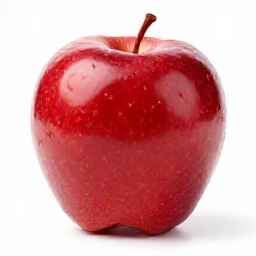
Prompt: "a single red apple on a white background, photorealistic" · 256² · 4 steps · 28 s on Apple Silicon Mac:
Prompt: "a photorealistic golden retriever puppy in a sunlit field of wildflowers" · 1024² · 9 steps · 7.5 min on Apple Silicon Mac:
Why this bundle exists
The official Z-Image release is PyTorch + Diffusers — great for servers, doesn't run on iPhone. Unsloth shipped the GGUF-quantized variant, but using it on iOS requires:
- An engine that speaks GGUF + S3-DiT (only stable-diffusion.cpp does, as of Dec 2025)
- A matching text encoder (Z-Image's training partner is Qwen3-4B, not the more common T5 or CLIP)
- A VAE (Z-Image reuses FLUX.1's
ae.safetensors)
Picking those three apart from upstream takes effort. This bundle packages them once, with the right quants for iPhone memory budgets.
Provenance
License
This repository's bundling and documentation are released under Apache 2.0. The individual model weights retain their upstream licenses (linked above). Read each license before commercial use.