
fofr/sdxl-googly-eyes
08
sdxl-googly-eyes LoRA by fofr
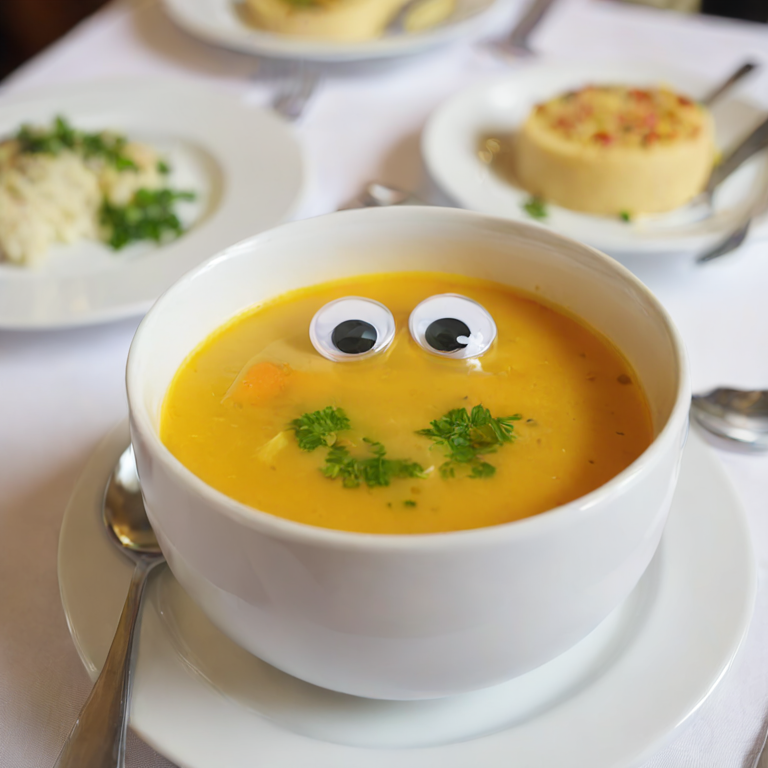
👀 SDXL fine-tune to add googly eyes to anything
Inference with Replicate API
Grab your replicate token here
pip install replicate
export REPLICATE_API_TOKEN=r8_*************************************import replicate
output = replicate.run(
"sdxl-googly-eyes@sha256:3239d84b2b6e2c1ef1814f9e613534fcc338df5f8fa9f8198edaee0adde6066f",
input={"prompt": "A photo of TOK eyes on a soup"}
)
print(output)You may also do inference via the API with Node.js or curl, and locally with COG and Docker, check out the Replicate API page for this model
Inference with 🧨 diffusers
Replicate SDXL LoRAs are trained with Pivotal Tuning, which combines training a concept via Dreambooth LoRA with training a new token with Textual Inversion. As diffusers doesn't yet support textual inversion for SDXL, we will use cog-sdxl TokenEmbeddingsHandler class.
The trigger tokens for your prompt will be <s0><s1>
pip install diffusers transformers accelerate safetensors huggingface_hub
git clone https://github.com/replicate/cog-sdxl cog_sdxlimport torch
from huggingface_hub import hf_hub_download
from diffusers import DiffusionPipeline
from cog_sdxl.dataset_and_utils import TokenEmbeddingsHandler
from diffusers.models import AutoencoderKL
pipe = DiffusionPipeline.from_pretrained(
"stabilityai/stable-diffusion-xl-base-1.0",
torch_dtype=torch.float16,
variant="fp16",
).to("cuda")
pipe.load_lora_weights("fofr/sdxl-googly-eyes", weight_name="lora.safetensors")
text_encoders = [pipe.text_encoder, pipe.text_encoder_2]
tokenizers = [pipe.tokenizer, pipe.tokenizer_2]
embedding_path = hf_hub_download(repo_id="fofr/sdxl-googly-eyes", filename="embeddings.pti", repo_type="model")
embhandler = TokenEmbeddingsHandler(text_encoders, tokenizers)
embhandler.load_embeddings(embedding_path)
prompt="A photo of <s0><s1> eyes on a soup"
images = pipe(
prompt,
cross_attention_kwargs={"scale": 0.8},
).images
#your output image
images[0]