
nermadie/2.5D_Depth_Studio
<div align="center">
2.5D Depth Studio
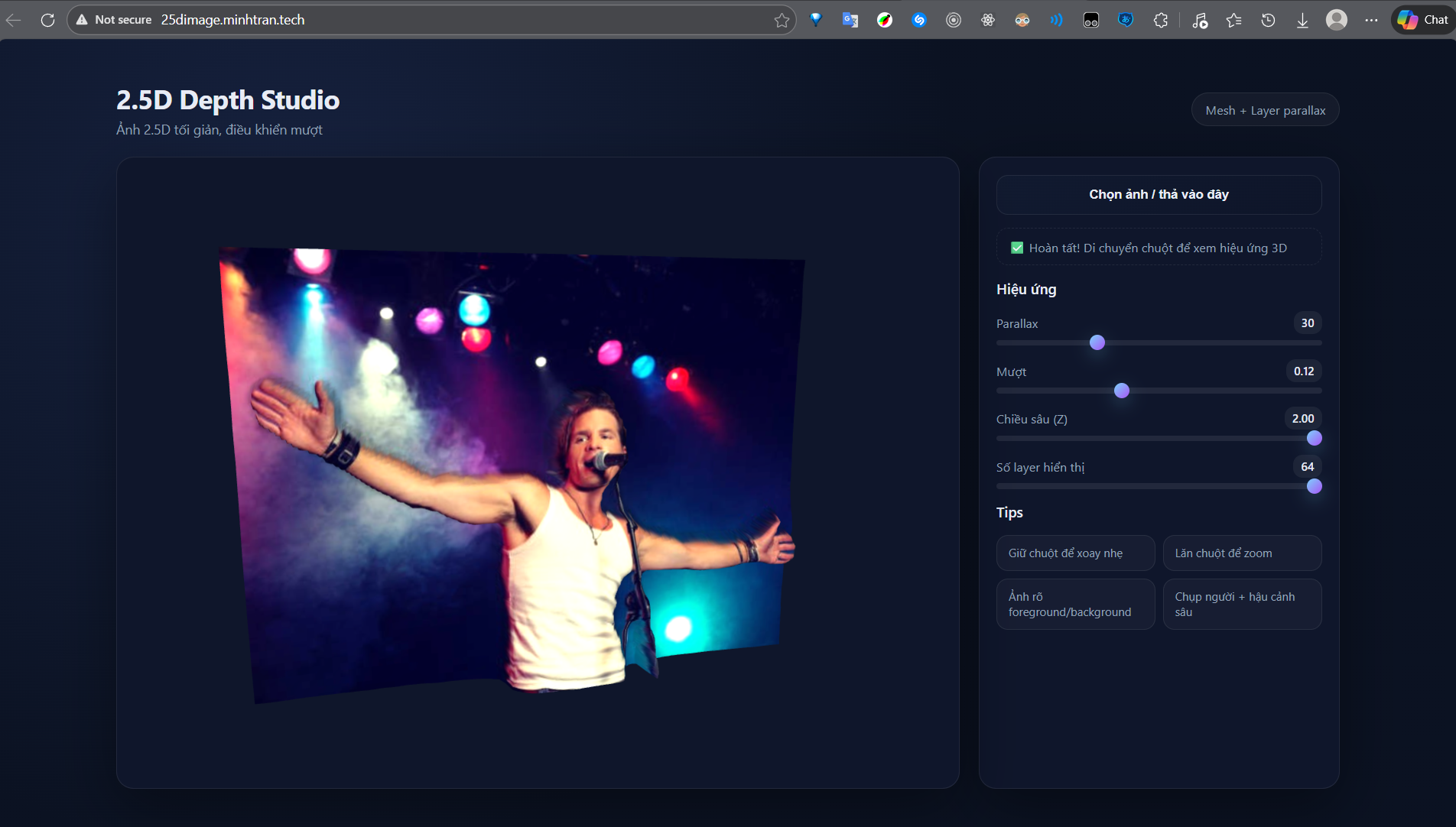
Generate a 2.5D (parallax/mesh) effect from a single input image: the backend produces depth map + layers + depth_data, and the frontend renders layer parallax or mesh displacement (Three.js) for a smooth 3D feel.

</div>
Links
- Live demo (FE): <http://25dimage.minhtran.tech/>
- Backend endpoint (POST): <https://nermadie-2-5d-depth-studio.hf.space/api/process>
- Hugging Face Spaces: <https://huggingface.co/spaces/nermadie/2.5DDepthStudio>
Features
- Depth estimation using DPT (Transformers) with model selection + fallback.
- Multi-layer separation by depth (foreground → background) + backplate for depth continuity.
- Exports
layers[](base64 RGBA PNG) for layer-parallax anddepth_data(matrix in [0..1]) for mesh displacement. - Minimal UI controls: parallax, smoothness, Z-depth intensity, layer count.
Architecture
backend/: FastAPI image processing, depth + layers generation, JSON response.frontend/: static UI (HTML/CSS/JS) rendering layers/mesh.2.5D_Depth_Studio/: Docker-based setup for Hugging Face Spaces.
Basic flow:
1) Frontend uploads an image → POST /api/process 2) Backend runs depth + layer separation 3) Frontend renders (mesh or layers)
2.5D technique (technical)
This project has two renderers, both driven by a predicted depth map.
1) Depth estimation (DPT)
- The backend uses
DPTImageProcessor+DPTForDepthEstimation(prefersIntel/dpt-large, falls back toIntel/dpt-hybrid-midas). - DPT outputs relative depth (not meters), so the project normalizes it to [0..1] for consistent downstream use.
After depth is predicted, the backend boosts local contrast so the effect reads better:
- CLAHE (increase local contrast)
- Bilateral filter (smooth noise but preserve edges)
- Normalize back to [0..255] for post-processing
2) Mesh displacement (Three.js) — smooth, shape-faithful 3D
If the response has use_mesh: true and includes depth_data, the frontend renders a mesh:
- Create a
PlaneGeometry(width, height, segments, segments). - For each vertex, map to depth coordinates and displace Z by:
$$z = depth(x,y) \times depthScale$$
- Texture uses the original image → subtle mouse tilt creates the 3D feel.
Pros:
- Looks great, continuous and natural motion.
Trade-offs:
- More GPU/CPU cost (many segments + WebGL rendering).
3) Layer parallax (CSS layers) — lightweight and compatible
If mesh is not used, the backend returns layers[] (RGBA PNGs). The frontend:
- Sorts layers from far → near.
- Moves each layer with the mouse, scaled by the layer
depth.
Intuition: layers closer to the camera move more; distant layers move less.
4) Layer separation (depth slicing)
The backend separates layers using percentile-based depth thresholds:
- Allocate more layers to the background (smoother detail), fewer to the foreground.
- Build a
maskper depth range, then soften edges (morphology + Gaussian blur) to avoid jagged outlines. - For the first few background layers, inpaint occluded regions so parallax doesn’t reveal holes.
How to use (quick workflow)
1) Open the demo: <http://25dimage.minhtran.tech/> 2) Upload an image 3) Move your mouse (or drag on mobile) to see the effect 4) Tune parallax/smoothness/depth intensity per image
API
POST /api/process
- Form-data:
file(image) - Response (short):
image: normalized image (base64)depth: depth visualization (base64)depth_data:number[][]normalized to[0..1]layers: list of RGBA PNG layers (base64)width,height,use_mesh
GET /
Returns service status + device.
Run locally
Backend
cd backend
python -m pip install -r requirements.txt
uvicorn app:app --host 0.0.0.0 --port 8000 --reload
Frontend
cd frontend
python -m http.server 5173
Open http://localhost:5173.
Note: change API_URL in frontend/app.js to http://localhost:8000/api/process if you run the backend locally.
Docker / Hugging Face Spaces
This repo includes the Spaces metadata at the top of this file and a Dockerfile in the Spaces root.
Quick build/run:
cd 2.5D_Depth_Studio
docker build -t depth-studio .
docker run -p 7860:7860 depth-studio
Quality tips
- Clear foreground/background separation → better depth feel.
- If responses are heavy (large
depth_data), reduce input resolution or downsample depth.
Links
- Hugging Face Spaces config reference: <https://huggingface.co/docs/hub/spaces-config-reference>