
N8nZero/my-shipping-bot
0
Hosting n8n using huggingface space
If you don't have a cloud instance or domain, self hosting n8n may be a bit difficult. This repository is a template for hosting n8n using huggingface space.
Using Supabase for database
According to huggingface space documentation, Space will "go to sleep" and stop executing after a period of time if unused. To avoid this, we can use Supabase for the database.
- Sign up for a free account at <https://supabase.com/dashboard/sign-up>
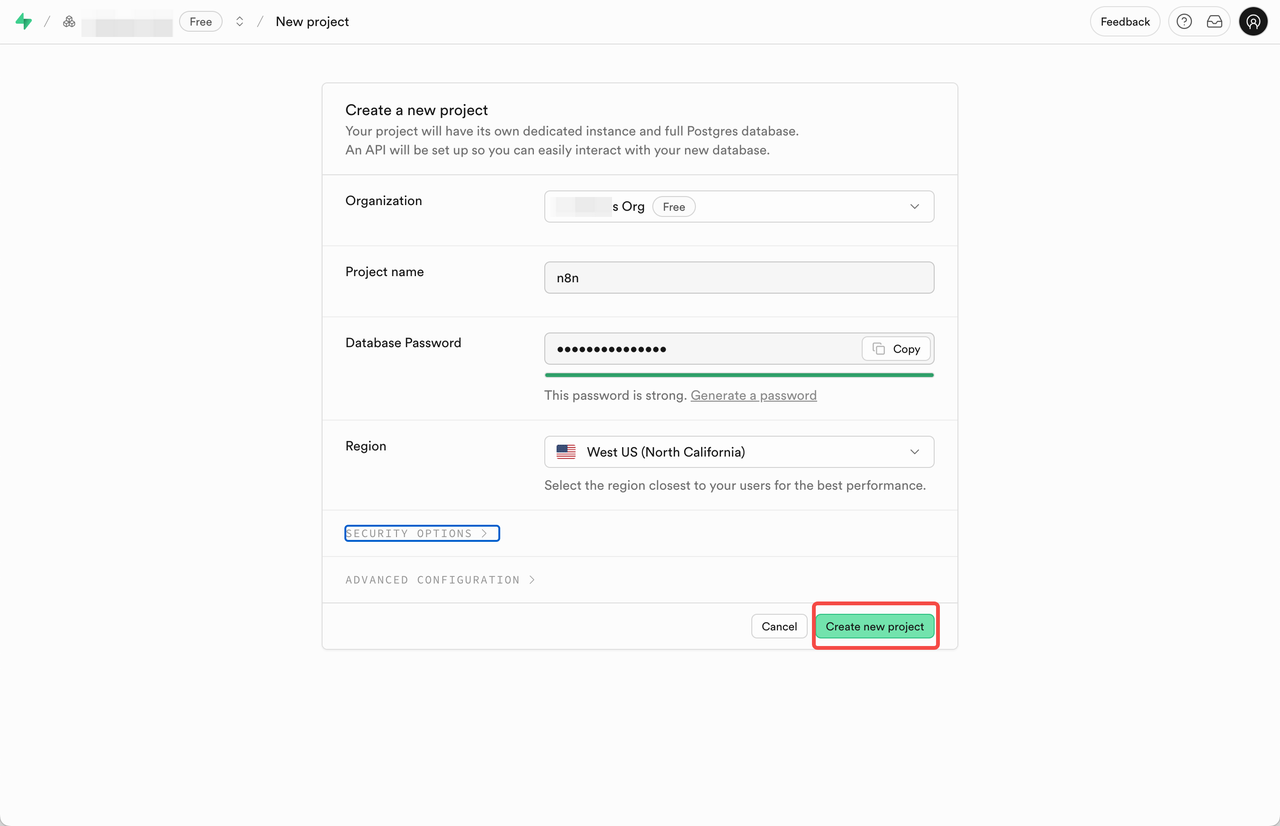
- Create a new project and fill the form. Save the database password for later use.
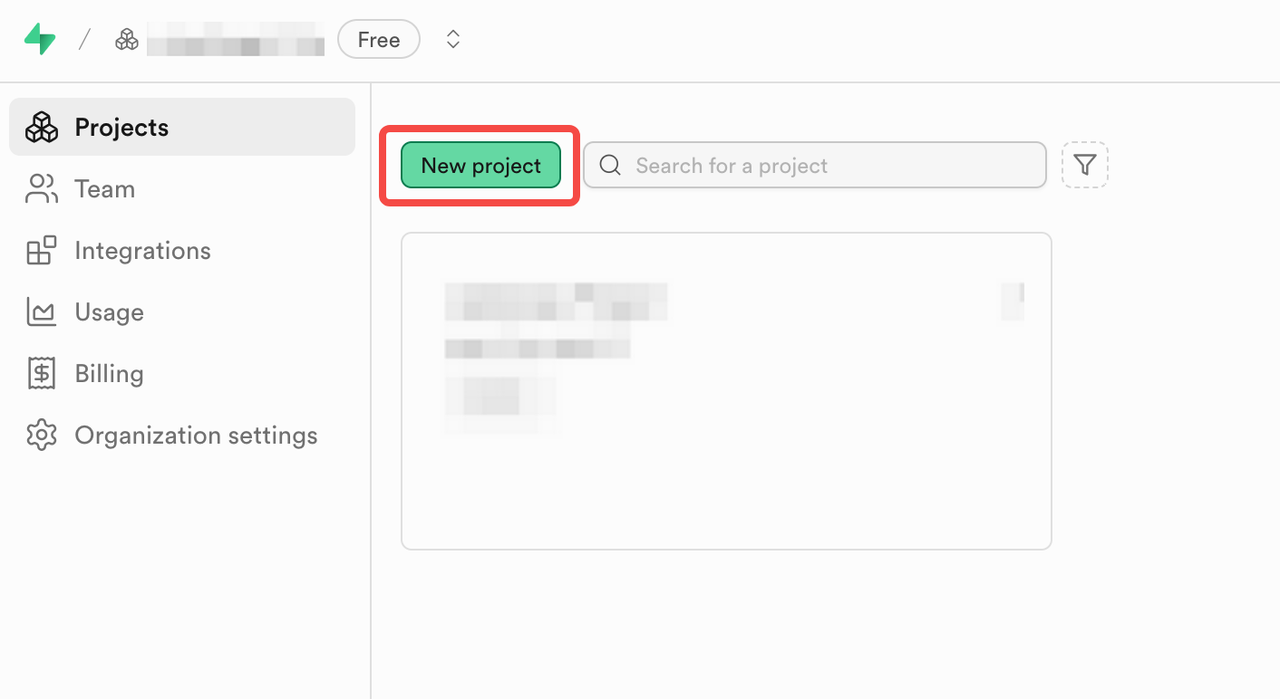
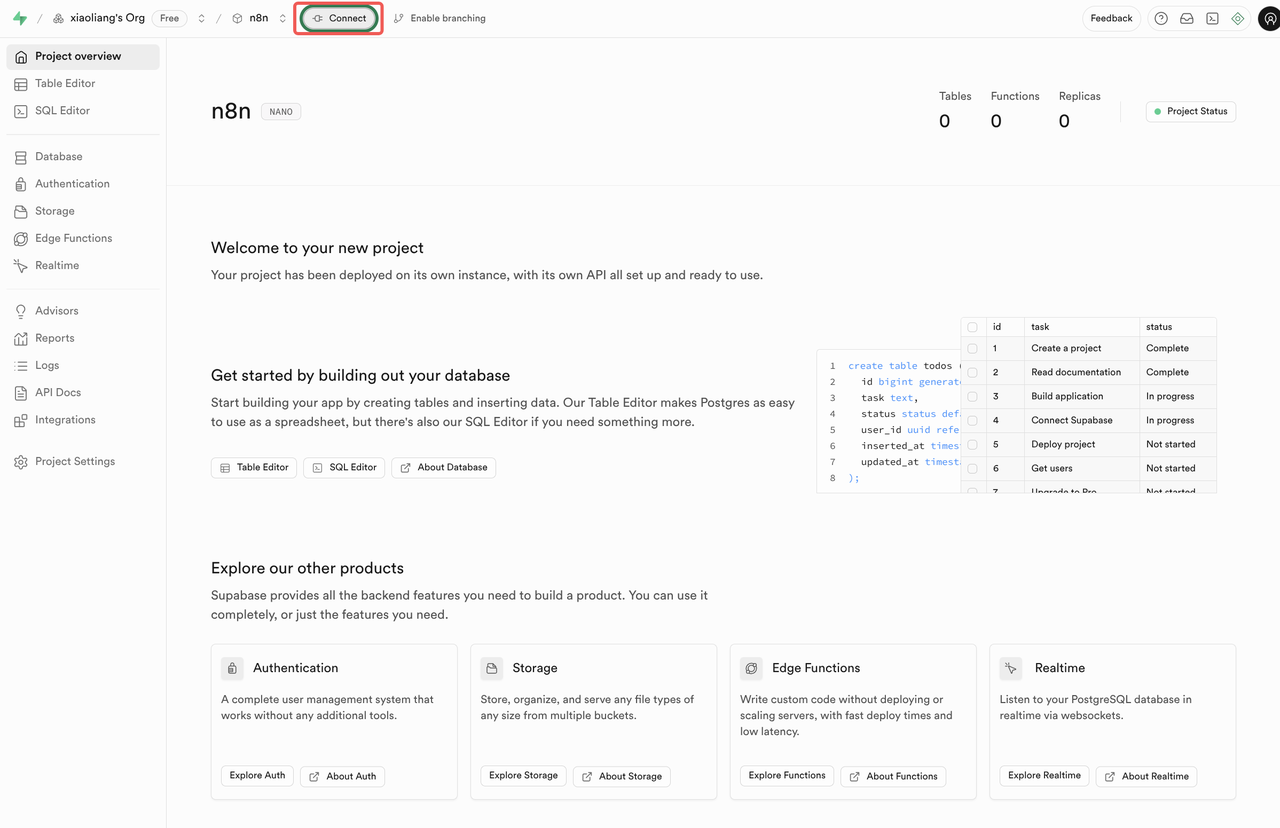
- View the database connection info by click the Connect button on the top left nav bar.
- Select SQLAlchemy as Connection String and find the Transaction pooler section.
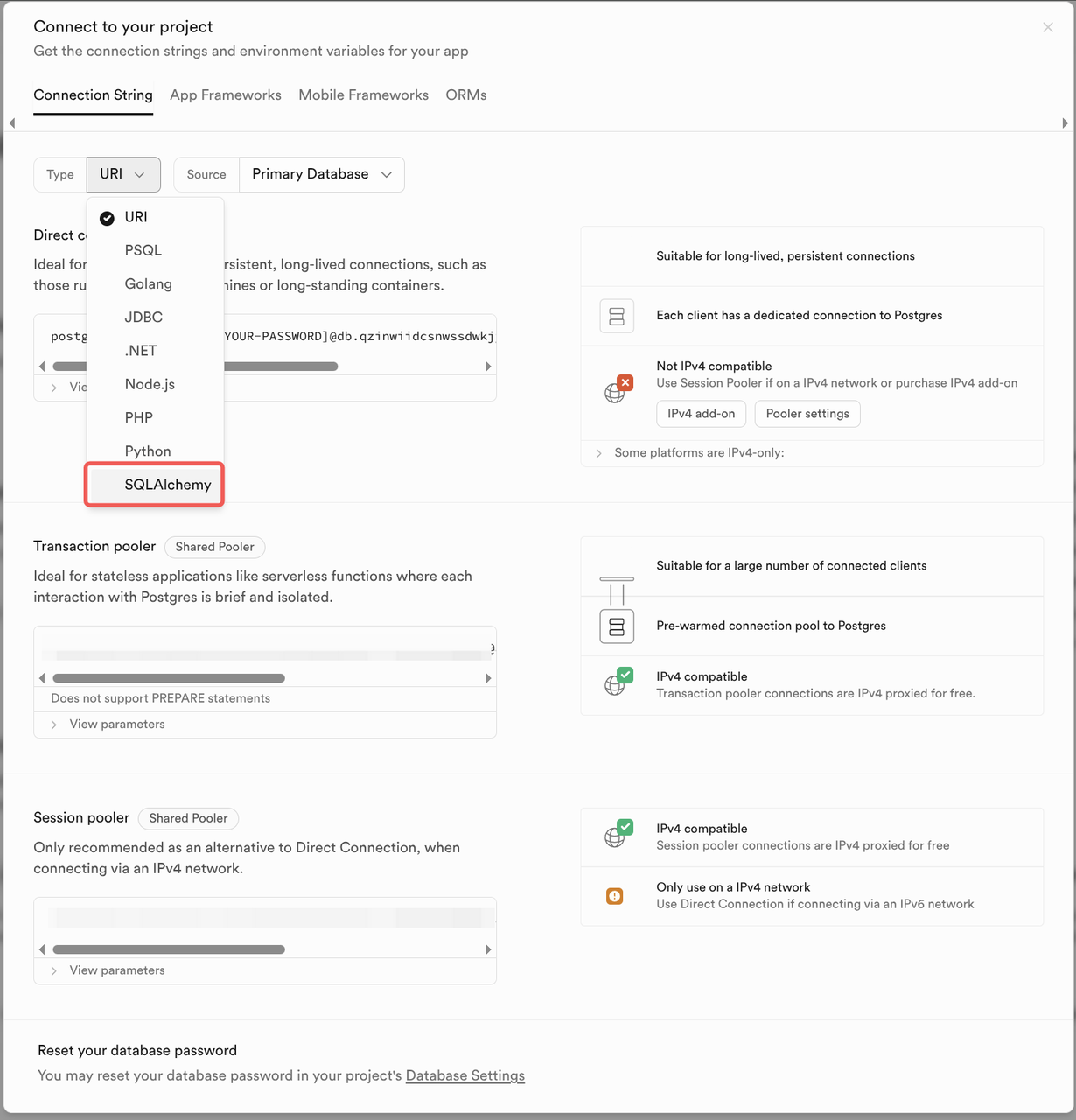
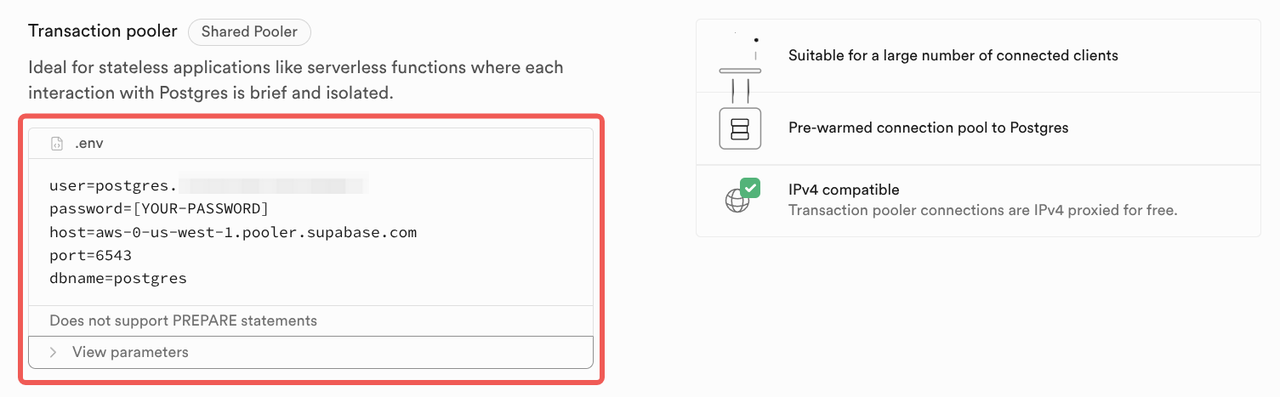
- Save the connection info for later use: host, port, user, dbname.
Deploying n8n using huggingface space
Huggingface space provide a free tier with 16GB RAM, 2 CPU cores and 50GB of (not persistent) disk space. This is enough for hosting n8n.
Using this space to duplicate and deploy n8n in the easy way.
- Sign up for a free account at <https://huggingface.co/join> and pick a profile name.
tomowangis the profile in <https://huggingface.co/tomowang> as an example. Remember the profile name for later use.
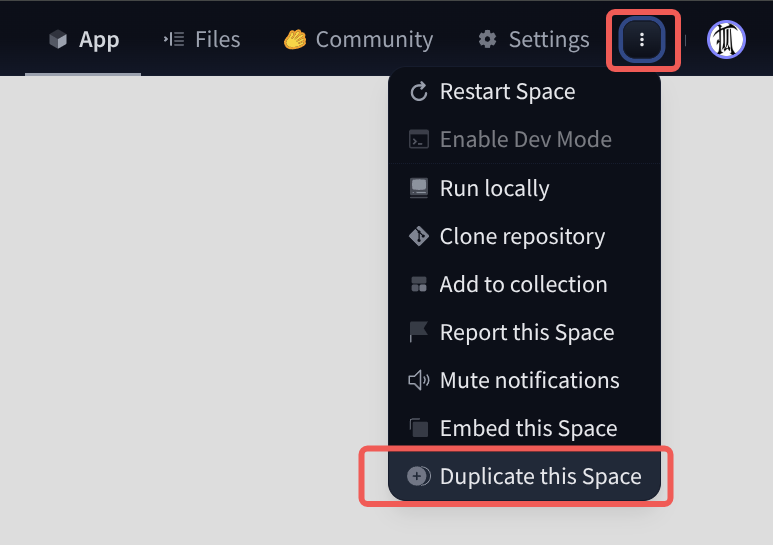
- Access <https://huggingface.co/spaces/tomowang/n8n> and click the menu drop down in top right corner and select Duplicate this space.
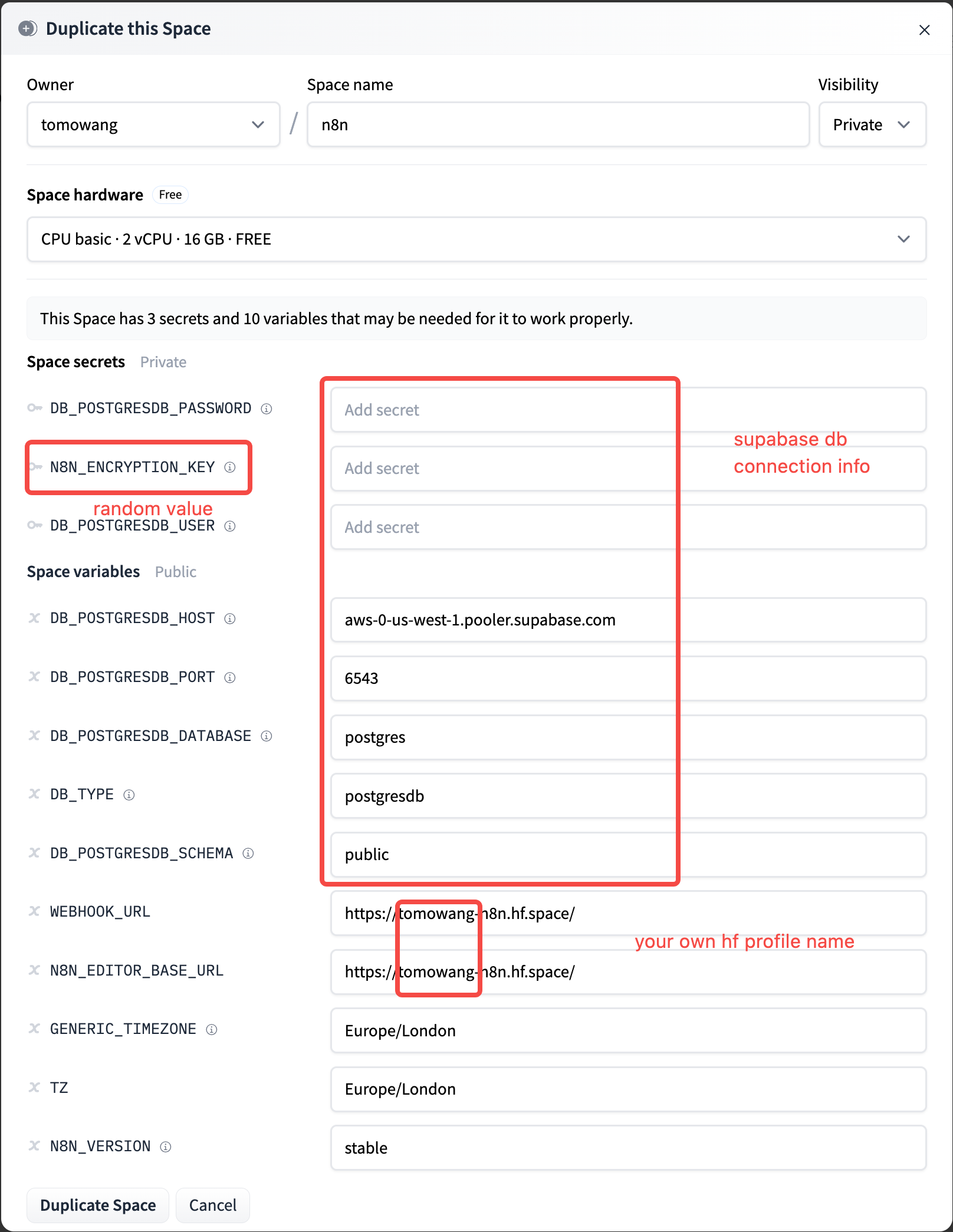
- Fill or change the variable and secrets in pop-up form and click Duplicate.
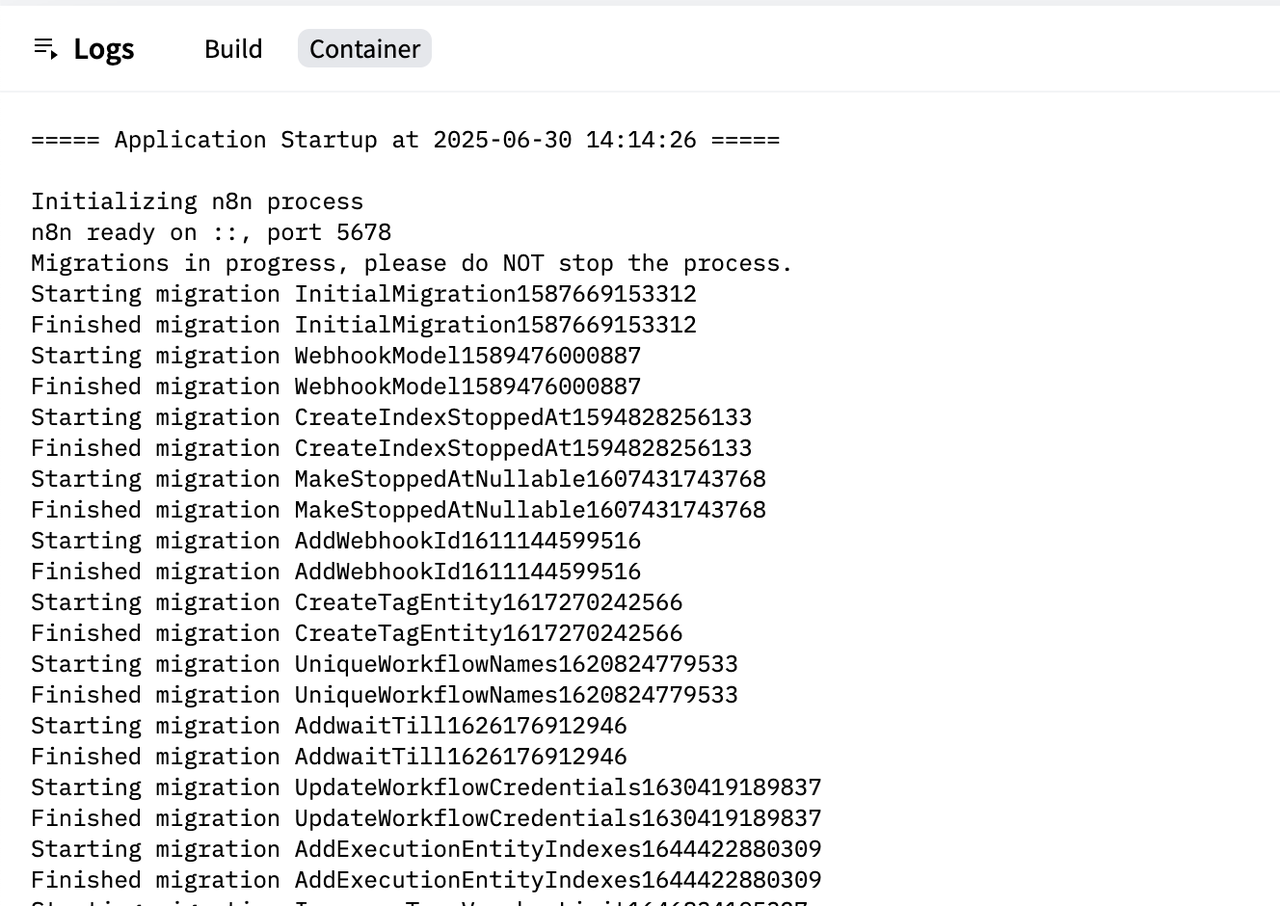
- Click Duplicate Space and wait for the deployment to finish. You can find the logs as following
- Once the deployment is finished, you can find the URL as configured in the
N8N_EDITOR_BASE_URLvariable.
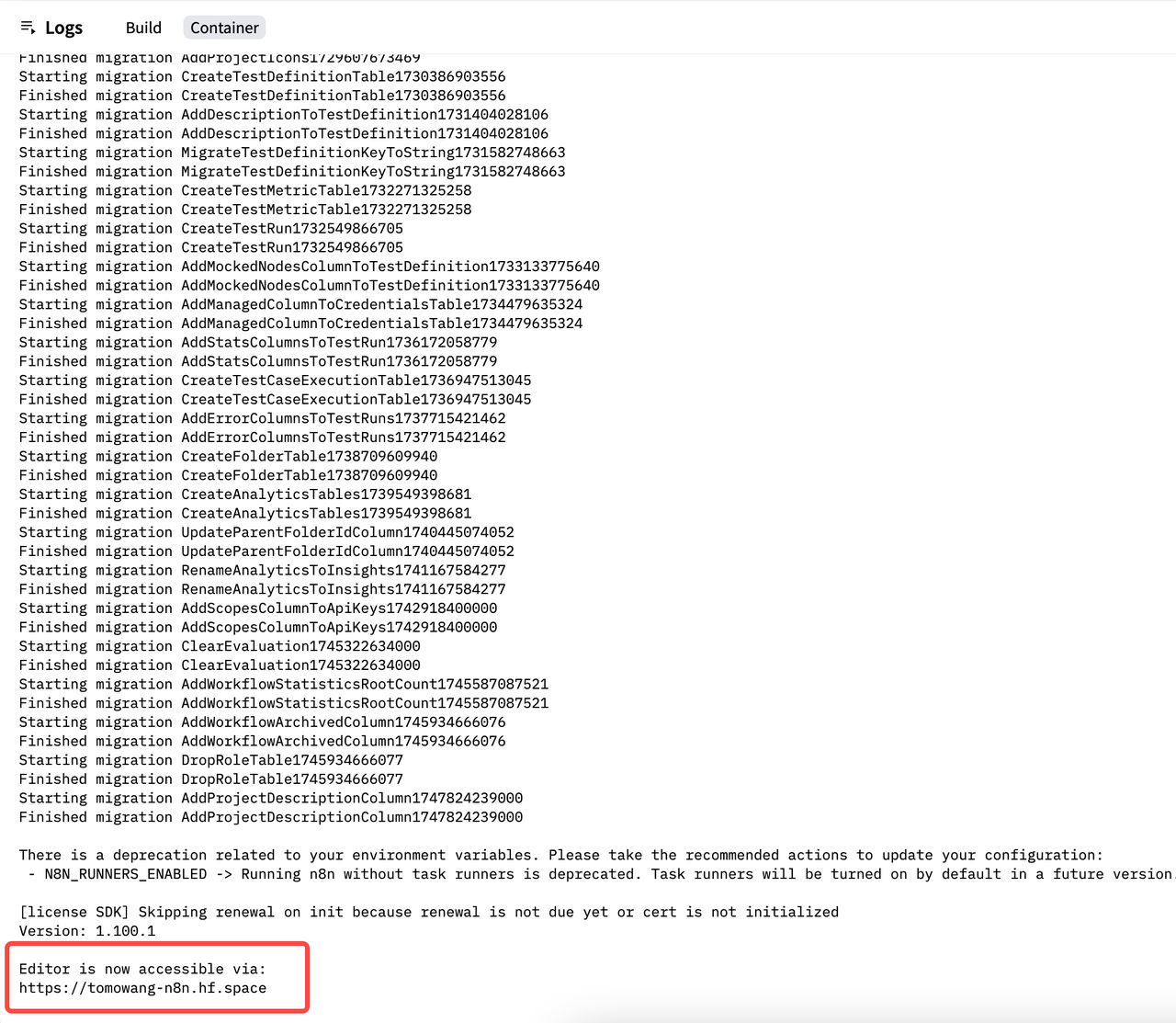
Now you can access n8n using the URL.
n8n use helmet for security headers. In production mode, it will setX-Frame-Optionstosameorigin, which causes the n8n site to be blocked by the iframe in the Huggingface Space (code <https://github.com/n8n-io/n8n/blob/master/packages/cli/src/server.ts#L401-L402>).