
hololens/stable-diffusion-webui-depthmap-script
1
1---2title: stable-diffusion-webui-depthmap-script3app_file: main.py4sdk: gradio5sdk_version: 5.0.26---7# High Resolution Depth Maps for Stable Diffusion WebUI8This program is an addon for [AUTOMATIC1111's Stable Diffusion WebUI](https://github.com/AUTOMATIC1111/stable-diffusion-webui) that creates depth maps. Using either generated or custom depth maps, it can also create 3D stereo image pairs (side-by-side or anaglyph), normalmaps and 3D meshes. The outputs of the script can be viewed directly or used as an asset for a 3D engine. Please see [wiki](https://github.com/thygate/stable-diffusion-webui-depthmap-script/wiki/Viewing-Results) to learn more. The program has integration with [Rembg](https://github.com/danielgatis/rembg). It also supports batch processing, processing of videos, and can also be run in standalone mode, without Stable Diffusion WebUI.9 10To generate realistic depth maps from individual images, this script uses code and models from the [Marigold](https://github.com/prs-eth/Marigold/) repository, from the [MiDaS](https://github.com/isl-org/MiDaS) and [ZoeDepth](https://github.com/isl-org/ZoeDepth) repositories by Intel ISL, or LeReS from the [AdelaiDepth](https://github.com/aim-uofa/AdelaiDepth) repository by Advanced Intelligent Machines. Multi-resolution merging as implemented by [BoostingMonocularDepth](https://github.com/compphoto/BoostingMonocularDepth) is used to generate high resolution depth maps.11 12Stereoscopic images are created using a custom-written algorithm.13 143D Photography using Context-aware Layered Depth Inpainting by Virginia Tech Vision and Learning Lab, or [3D-Photo-Inpainting](https://github.com/vt-vl-lab/3d-photo-inpainting) is used to generate a `3D inpainted mesh` and render `videos` from said mesh.15 16Rembg uses [U-2-Net](https://github.com/xuebinqin/U-2-Net) and [IS-Net](https://github.com/xuebinqin/DIS).17 18## Depthmap Examples19[](https://raw.githubusercontent.com/thygate/stable-diffusion-webui-depthmap-script/main/examples.png)20 21## 3D Photo Inpainting Examples22[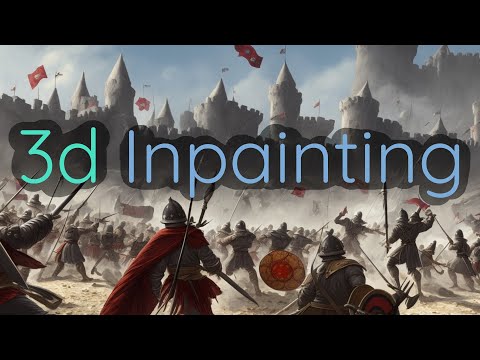](https://www.youtube.com/watch?v=jRmVkIMS-SY) 23video by [@graemeniedermayer](https://github.com/graemeniedermayer), more examples [here](https://github.com/thygate/stable-diffusion-webui-depthmap-script/discussions/50)24 25## Stereo Image SBS and Anaglyph Examples26 27images generated by [@semjon00](https://github.com/semjon00) from CC0 photos, more examples [here](https://github.com/thygate/stable-diffusion-webui-depthmap-script/pull/56#issuecomment-1367596463).28 29## Install instructions30### As extension31The script can be installed directly from WebUI. Please navigate to `Extensions` tab, then click `Available`, `Load from` and then install the `Depth Maps` extension. Alternatively, the extension can be installed from the URL: `https://github.com/thygate/stable-diffusion-webui-depthmap-script`.32 33### Updating34In the WebUI, in the `Extensions` tab, in the `Installed` subtab, click `Check for Updates` and then `Apply and restart UI`.35 36### Standalone37Clone the repository, install the requirements from `requirements.txt`, launch using `main.py`.38 39>Model weights will be downloaded automatically on their first use and saved to /models/midas, /models/leres and /models/pix2pix. Zoedepth models are stored in the torch cache folder.40 41 42## Usage43Select the "DepthMap" script from the script selection box in either txt2img or img2img, or go to the Depth tab when using existing images.4445 46The models can `Compute on` GPU and CPU, use CPU if low on VRAM.47 48There are ten models available from the `Model` dropdown. For the first model, res101, see [AdelaiDepth/LeReS](https://github.com/aim-uofa/AdelaiDepth/tree/main/LeReS) for more info. The others are the midas models: dpt_beit_large_512, dpt_beit_large_384, dpt_large_384, dpt_hybrid_384, midas_v21, and midas_v21_small. See the [MiDaS](https://github.com/isl-org/MiDaS) repository for more info. The newest dpt_beit_large_512 model was trained on a 512x512 dataset but is VERY VRAM hungry. The last three models are [ZoeDepth](https://github.com/isl-org/ZoeDepth) models.49 50Net size can be set with `net width` and `net height`, or will be the same as the input image when `Match input size` is enabled. There is a trade-off between structural consistency and high-frequency details with respect to net size (see [observations](https://github.com/compphoto/BoostingMonocularDepth#observations)).51 52`Boost` will enable multi-resolution merging as implemented by [BoostingMonocularDepth](https://github.com/compphoto/BoostingMonocularDepth) and will significantly improve the results, mitigating the observations mentioned above, at the cost of much larger compute time. Best results with res101.53 54`Clip and renormalize` allows for clipping the depthmap on the `near` and `far` side, the values in between will be renormalized to fit the available range. Set both values equal to get a b&w mask of a single depth plane at that value. This option works on the 16-bit depthmap and allows for 1000 steps to select the clip values.55 56When enabled, `Invert DepthMap` will result in a depthmap with black near and white far.57 58Regardless of global settings, `Save DepthMap` will always save the depthmap in the default txt2img or img2img directory with the filename suffix '_depth'. Generation parameters are saved with the image if enabled in settings. Files generated from the Depth tab are saved in the default extras-images directory.59 60To see the generated output in the webui `Show DepthMap` should be enabled. When using Batch img2img this option should also be enabled.61 62When `Combine into one image` is enabled, the depthmap will be combined with the original image, the orientation can be selected with `Combine axis`. When disabled, the depthmap will be saved as a 16 bit single channel PNG as opposed to a three channel (RGB), 8 bit per channel image when the option is enabled.63 64When either `Generate Stereo` or `Generate anaglyph` is enabled, a stereo image pair will be generated. `Divergence` sets the amount of 3D effect that is desired. `Balance between eyes` determines where the (inevitable) distortion from filling up gaps will end up, -1 Left, +1 Right, and 0 balanced. 65The different `Gap fill technique` options are : none (no gaps are filled), 66naive (the original method), naive_interpolating (the original method with interpolation), polylines_soft and polylines_sharp are the latest technique, the last one being best quality and slowest. Note: All stereo image generation is done on CPU.67 68To generate the mesh required to generate videos, enable `Generate 3D inpainted mesh`. This can be a lengthy process, from a few minutes for small images to an hour for very large images. This option is only available on the Depth tab. When enabled, the mesh in ply format and four demo video are generated. All files are saved to the extras directory.69 70Videos can be generated from the PLY mesh on the Depth Tab.71It requires the mesh created by this extension, files created elsewhere might not work corectly, as some extra info is stored in the file (required value for dolly). Most options are self-explanatory, like `Number of frames` and `Framerate`. Two output `formats` are supported: mp4 and webm. Supersampling Anti-Aliasing (SSAA) can be used to get rid of jagged edges and flickering. The render size is scaled by this factor and then downsampled. 72There are three `trajectories` to choose from : circle, straight-line, double-straight-line, to `translate` in three dimensions. The border can be `cropped` on four sides, and the `Dolly` option adjusts the FOV so the center subject will stay approximately the same size, like the dolly-zoom.73 74Settings on WebUI Settings tab : 75`Maximum wholesize for boost` sets the r_max value from the BoostingMonocularDepth paper, it relates to the max size that is chosen to render at internally, and directly influences the max amount of VRAM that could be used. The default value for this from the paper is 3000, I have lowered the value to 1600 so it will work more often with 8GB VRAM GPU's.76If you often get out of memory errors when computing a depthmap on GPU while using Boost, you can try lowering this value. Note the 'wholeImage being processed in : xxxx' output when using boost, this number will never be greater than the r_max, but can be larger with a larger r_max. See the paper for more details.77 78> 💡 Saving as any format other than PNG always produces an 8 bit, 3 channel RGB image. A single channel 16 bit image is only supported when saving as PNG. 79 80## FAQ81 82 * `Can I use this on existing images ?`83 - Yes, you can use the Depth tab to easily process existing images.84 - Another way of doing this would be to use img2img with denoising strength to 0. This will effectively skip stable diffusion and use the input image. You will still have to set the correct size, and need to select `Crop and resize` instead of `Just resize` when the input image resolution does not match the set size perfectly.85 * `Can I run this on Google Colab?`86 - You can run the MiDaS network on their colab linked here https://pytorch.org/hub/intelisl_midas_v2/87 - You can run BoostingMonocularDepth on their colab linked here : https://colab.research.google.com/github/compphoto/BoostingMonocularDepth/blob/main/Boostmonoculardepth.ipynb88 - Running this program on Colab is not officially supported, but it may work. Please look for more suitable ways of running this. If you still decide to try, standalone installation may be easier to manage.89 * `What other depth-related projects could I check out?`90 - [DepthFlow](https://github.com/BrokenSource/DepthFlow) by [@Tremeschin](https://github.com/Tremeschin) for a very fast generation of 2.5D videos from images (no need to create mesh beforehand!)91 - Several [scripts](https://github.com/Extraltodeus?tab=repositories) by [@Extraltodeus](https://github.com/Extraltodeus) using depth maps.92 - geo-11, [Depth3D](https://github.com/BlueSkyDefender/Depth3D) and [Geo3D](https://github.com/Flugan/Geo3D-Installer) for playing existing games in 3D.93 - (Feel free to suggest more projects in the discussions!)94 * `How can I know what changed in the new version of the script?`95 - You can see the git history log or refer to the `CHANGELOG.md` file.96 97## Help wanted!98Developers wanted! Please help us fix the bugs and add new features by creating MRs.99All help is heavily appreciated.100Feel free to comment and share in the discussions and submit issues.101 102## Acknowledgements103 104This project relies on code and information from the following papers : 105 106MiDaS :107 108```109@article {Ranftl2022,110 author = "Ren\'{e} Ranftl and Katrin Lasinger and David Hafner and Konrad Schindler and Vladlen Koltun",111 title = "Towards Robust Monocular Depth Estimation: Mixing Datasets for Zero-Shot Cross-Dataset Transfer",112 journal = "IEEE Transactions on Pattern Analysis and Machine Intelligence",113 year = "2022",114 volume = "44",115 number = "3"116}117```118 119Dense Prediction Transformers, DPT-based model :120 121```122@article{Ranftl2021,123 author = {Ren\'{e} Ranftl and Alexey Bochkovskiy and Vladlen Koltun},124 title = {Vision Transformers for Dense Prediction},125 journal = {ICCV},126 year = {2021},127}128```129 130AdelaiDepth/LeReS :131 132```133@article{yin2022towards,134 title={Towards Accurate Reconstruction of 3D Scene Shape from A Single Monocular Image},135 author={Yin, Wei and Zhang, Jianming and Wang, Oliver and Niklaus, Simon and Chen, Simon and Liu, Yifan and Shen, Chunhua},136 journal={TPAMI},137 year={2022}138}139@inproceedings{Wei2021CVPR,140 title = {Learning to Recover 3D Scene Shape from a Single Image},141 author = {Wei Yin and Jianming Zhang and Oliver Wang and Simon Niklaus and Long Mai and Simon Chen and Chunhua Shen},142 booktitle = {Proc. IEEE Conf. Comp. Vis. Patt. Recogn. (CVPR)},143 year = {2021}144}145```146 147Boosting Monocular Depth Estimation Models to High-Resolution via Content-Adaptive Multi-Resolution Merging :148 149```150@inproceedings{Miangoleh2021Boosting,151 title={Boosting Monocular Depth Estimation Models to High-Resolution via Content-Adaptive Multi-Resolution Merging},152 author={S. Mahdi H. Miangoleh and Sebastian Dille and Long Mai and Sylvain Paris and Ya\u{g}{\i}z Aksoy},153 journal={Proc. CVPR},154 year={2021},155}156```157 1583D Photography using Context-aware Layered Depth Inpainting :159 160```161@inproceedings{Shih3DP20,162 author = {Shih, Meng-Li and Su, Shih-Yang and Kopf, Johannes and Huang, Jia-Bin},163 title = {3D Photography using Context-aware Layered Depth Inpainting},164 booktitle = {IEEE Conference on Computer Vision and Pattern Recognition (CVPR)},165 year = {2020}166}167```168 169U2-Net:170 171```172@InProceedings{Qin_2020_PR,173 title = {U2-Net: Going Deeper with Nested U-Structure for Salient Object Detection},174 author = {Qin, Xuebin and Zhang, Zichen and Huang, Chenyang and Dehghan, Masood and Zaiane, Osmar and Jagersand, Martin},175 journal = {Pattern Recognition},176 volume = {106},177 pages = {107404},178 year = {2020}179}180```181 182IS-Net:183 184```185@InProceedings{qin2022,186 author={Xuebin Qin and Hang Dai and Xiaobin Hu and Deng-Ping Fan and Ling Shao and Luc Van Gool},187 title={Highly Accurate Dichotomous Image Segmentation},188 booktitle={ECCV},189 year={2022}190}191```192 193 194ZoeDepth :195 196```197@misc{https://doi.org/10.48550/arxiv.2302.12288,198 doi = {10.48550/ARXIV.2302.12288},199 url = {https://arxiv.org/abs/2302.12288},200 author = {Bhat, Shariq Farooq and Birkl, Reiner and Wofk, Diana and Wonka, Peter and Müller, Matthias},201 keywords = {Computer Vision and Pattern Recognition (cs.CV), FOS: Computer and information sciences, FOS: Computer and information sciences},202 title = {ZoeDepth: Zero-shot Transfer by Combining Relative and Metric Depth},203 publisher = {arXiv},204 year = {2023},205 copyright = {arXiv.org perpetual, non-exclusive license}206}207```208 209Marigold - Repurposing Diffusion-Based Image Generators for Monocular Depth Estimation:210 211```212@misc{ke2023repurposing,213 title={Repurposing Diffusion-Based Image Generators for Monocular Depth Estimation}, 214 author={Bingxin Ke and Anton Obukhov and Shengyu Huang and Nando Metzger and Rodrigo Caye Daudt and Konrad Schindler},215 year={2023},216 eprint={2312.02145},217 archivePrefix={arXiv},218 primaryClass={cs.CV}219}220```221 222Depth Anything: Unleashing the Power of Large-Scale Unlabeled Data223 224```225@misc{yang2024depth,226 title={Depth Anything: Unleashing the Power of Large-Scale Unlabeled Data}, 227 author={Lihe Yang and Bingyi Kang and Zilong Huang and Xiaogang Xu and Jiashi Feng and Hengshuang Zhao},228 year={2024},229 eprint={2401.10891},230 archivePrefix={arXiv},231 primaryClass={cs.CV}232}233```234 235Depth Anything V2236 237```bibtex238@article{depth_anything_v2,239 title={Depth Anything V2},240 author={Yang, Lihe and Kang, Bingyi and Huang, Zilong and Zhao, Zhen and Xu, Xiaogang and Feng, Jiashi and Zhao, Hengshuang},241 journal={arXiv:2406.09414},242 year={2024}243}244```