
e1250/LabelStudio
0
1---2title: LabelStudio3emoji: 🟧4colorFrom: yellow5colorTo: purple6sdk: docker7tags:8- label-studio9fullwidth: true10license: apache-2.011app_port: 808012duplicated_from: LabelStudio/LabelStudio13---14<img src="https://user-images.githubusercontent.com/12534576/192582340-4c9e4401-1fe6-4dbb-95bb-fdbba5493f61.png"/>15 16[Website](https://hubs.ly/Q01CNgsd0) • [Docs](https://hubs.ly/Q01CN9Yq0) • [12K+ GitHub ⭐️!](https://hubs.ly/Q01CNbPQ0) • [Slack Community](https://hubs.ly/Q01CNb9H0)17 18## What is Label Studio?19 20Label Studio is an open source data labeling platform. It lets you label audio,21text, images, videos, and time series data with a simple, straightforward, and22highly-configurable user interface. Label Studio can prepare new data or23improve existing training data to get more accurate ML models.24 25 26## Label Studio in Hugging Face Spaces27 28The Label Studio community is thrilled to offer Label Studio as a Hugging Face29Spaces application. You can try the data-annotation interface, connect popular30machine learning models, and share the application with collaborators. You can31start immediately by creating an account or replicate the space and work in32your own environment.33 34## Creating a Use Account and Logging In35 36Begin by creating a new account in the Label Studio space, then log in with your37credentials.38 39**By default, these spaces permit anyone to create a new login40account, allowing them to view and modify project configuration, data sets, and41annotations. Without any modifications, treat this space like a demo environment.** 42 43## Creating a Labeling Project44 45After logging in, Label Studio will present you with a project view. Here you46can create a new project with prompts to upload data and set up a custom47configuration interface.48 49**Note that in the default configuration, storage is local and temporary. Any50projects, annotations, and configurations will be lost if the space is restarted.**51 52## Next Steps and Additional Resources53 54To help with getting started, the Label Studio community curated a list of55resources including tutorials and documentation.56 57- 🚀 [Zero to One with Label Studio Tutorial](https://labelstud.io/blog/introduction-to-label-studio-in-hugging-face-spaces/)58- 📈 [Try Label Studio Enterprise](https://hubs.ly/Q01CMLll0)59- 🤗 [Tutorial: Using Label Studio with Hugging Face Datasets Hub](https://danielvanstrien.xyz/huggingface/huggingface-datasets/annotation/full%20stack%20deep%20learning%20notes/2022/09/07/label-studio-annotations-hub.html)60- 💡 [Label Studio Docs](https://hubs.ly/Q01CN9Yq0)61 62 63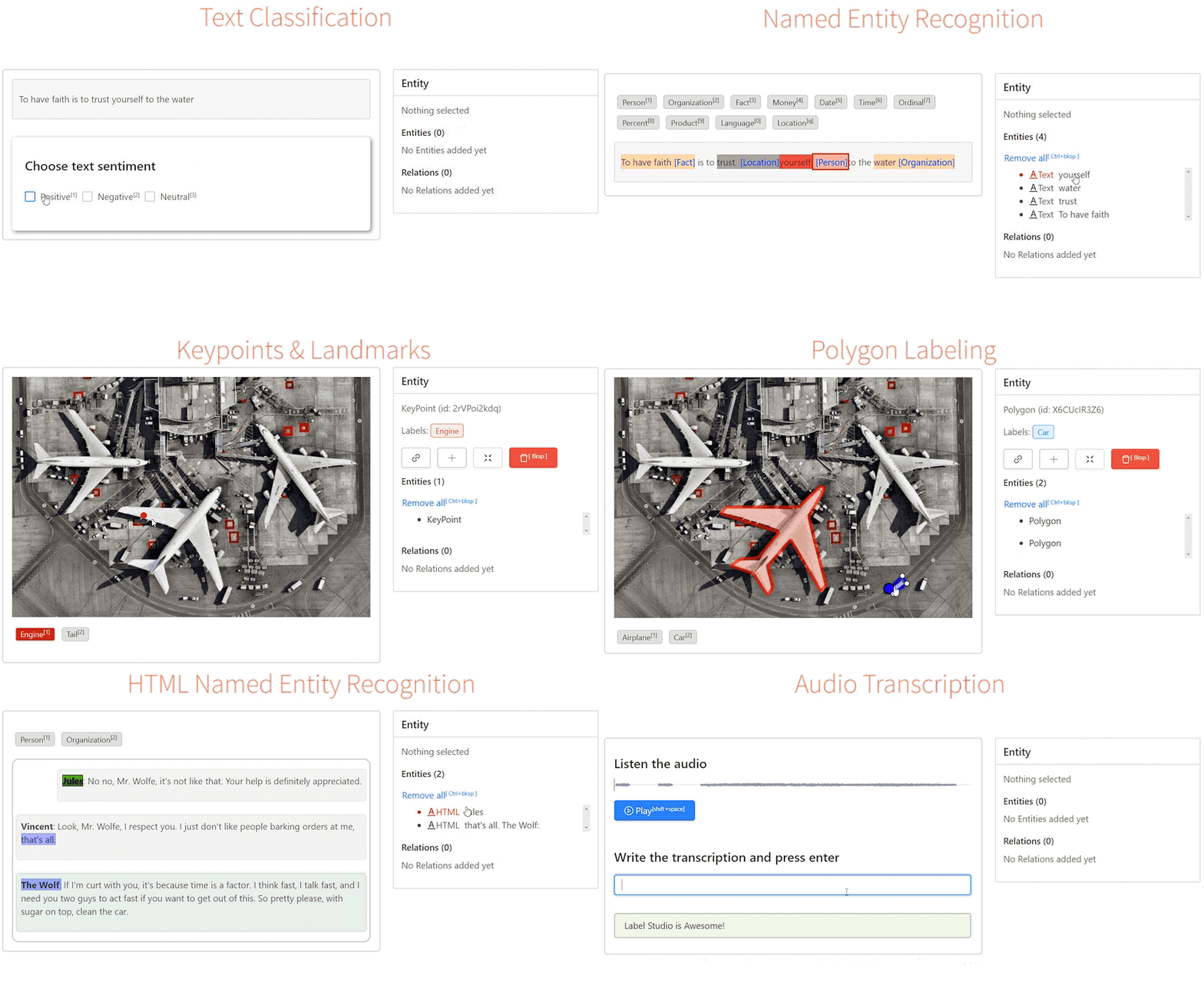64 65### Making your Label Studio Hugging Face Space production-ready66 67By default this space allows for the unrestricted creation of new accounts68will full access to all projects and data. This is great for trying out69Label Studio and collaborating on projects, but you may want to restrict70access to your space to only authorized users. Add the following environment71variable to your spaces Dockerfile to disable public account creation for72this space. 73 74 ENV LABEL_STUDIO_DISABLE_SIGNUP_WITHOUT_LINK=true75 76Set secrets in your space to create an inital user, and log in with your77provided username and password. Do not set these in your Dockerfile, as they78globally visible on a public space.79 80 LABEL_STUDIO_USERNAME81 LABEL_STUDIO_PASSWORD82 83You will need to provide new users with an invitation link to join the space,84which can be found in the Organizations interface of Label Studio85 86By default this space stores all project configuration and data annotations87in local storage with Sqlite. If the space is reset, all configuration and88annotation data in the space will be lost. You can enable configuration89persistence by connecting an external Postgres database to your space,90guaranteeing that all project and annotation settings are preserved.91 92Set the following secret variables to match your own hosted instance of93Postgres. We strongly recommend setting these as secrets to prevent leaking94information about your database service to the public in your spaces95definition.96 97 DJANGO_DB=default98 POSTGRE_NAME=<postgres_name>99 POSTGRE_PORT=<db_port>100 POSTGRE_USER=<postgres_user>101 POSTGRE_PASSWORD=<password>102 POSTGRE_PORT=<db_port>103 POSTGRE_HOST=<db_host>104 105Add the following environment variable to remove the warning about ephemeral106storage.107 108 ENV STORAGE_PERSISTENCE=1109 110Note that you will need to connect cloud storage to host data items that you111want to annotate, as local storage will not be preserved across a space reset.112 113By default the only data storage enabled for this space is local. In the case114of a space reset, all data will be lost. To enable permanent storage, you115must enable a cloud storage connector. We also strongly recommend enabling116configuration persistence to preserve project data, annotations, and user117settings. Choose the appropriate cloud connector and configure the secrets118for it.119 120#### Amazon S3121 STORAGE_TYPE=s3122 STORAGE_AWS_ACCESS_KEY_ID="<YOUR_ACCESS_KEY_ID>"123 STORAGE_AWS_SECRET_ACCESS_KEY="<YOUR_SECRET_ACCESS_KEY>"124 STORAGE_AWS_BUCKET_NAME="<YOUR_BUCKET_NAME>"125 STORAGE_AWS_REGION_NAME="<YOUR_BUCKET_REGION>"126 STORAGE_AWS_FOLDER=""127 128#### Google Cloud Storage129 130 STORAGE_TYPE=gcs131 STORAGE_GCS_BUCKET_NAME="<YOUR_BUCKET_NAME>"132 STORAGE_GCS_PROJECT_ID="<YOUR_PROJECT_ID>"133 STORAGE_GCS_FOLDER=""134 GOOGLE_APPLICATION_CREDENTIALS="/opt/heartex/secrets/key.json"135 136Azure Blob Storage137==================138 139 STORAGE_TYPE=azure140 STORAGE_AZURE_ACCOUNT_NAME="<YOUR_STORAGE_ACCOUNT>"141 STORAGE_AZURE_ACCOUNT_KEY="<YOUR_STORAGE_KEY>"142 STORAGE_AZURE_CONTAINER_NAME="<YOUR_CONTAINER_NAME>"143 STORAGE_AZURE_FOLDER=""144 145 146## Questions? Concerns? Want to get involved? 147 148Email the community team at [community@labelstud.io](mailto:community@labelstud.io)149